
Overview
Every Quality Review in Pathwave moves through one of four statuses. These statuses determine what actions reviewers can take, how the system behaves, and when review activity can begin or end. Understanding each status ensures reviewers manage reviews correctly, avoid unintended completion, and maintain a clean audit trail.
This article explains what each review status means, when each status should be used, and how status transitions support the overall review workflow.
Quality Review Status (Review-Level)
Each review displays a high-level status that reflects where it sits in the review lifecycle:
New: A review begins in the New status
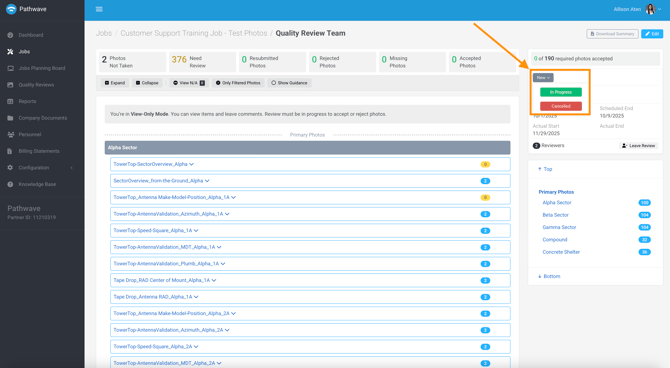
Key Behaviors:
- Reviewers must Join the Review if they were not assigned at creation.
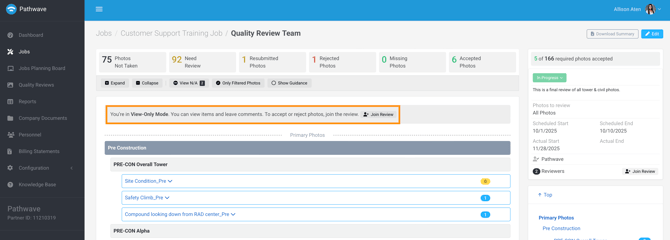
- The review remains in View Only mode until the status changes to In Progress.
- No review actions can be taken:
- No accepting
- No rejecting
- No markup
- No messaging threads initiated
When to "Use":
- Before review activity begins
- When reviewers need time to prepare
- When confirming the correct scope or reviewer assignments
In Progress: The review becomes active once the status is changed to In Progress.
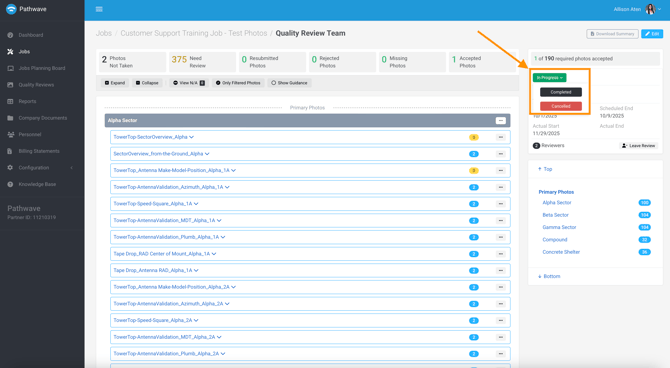
Key Behaviors:
- Once any review activity begins, the review cannot return to New.
- After activity begins, the only available status transitions are:
- Completed
- Canceled
- Examples of “review activity”:
- Accepting or rejecting a photo
- Adding markup
- Creating a Missing Photo
- Removing or confirming an N/A
- Adding comments
When to "Use":
- When active review work is taking place.
- When multiple reviewers are participating simultaneously
- When coordinating corrective cycles with field teams
Completed: A review can be marked Completed after all review actions are finished.
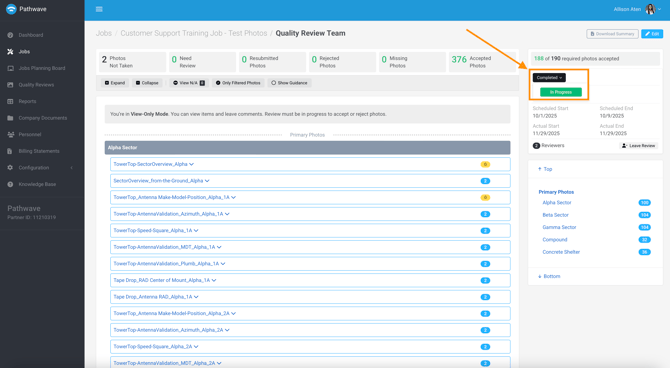
Key Behaviors:
- Reviewers may complete the review only when:
- No items remain in Need Review
- No Rejected Photos
- No Missing Photos
- All N/A items are validated (optional)
When to "Use"
- When active review work is taking place.
- When multiple reviewers are participating simultaneously
- When coordinating corrective cycles with field teams
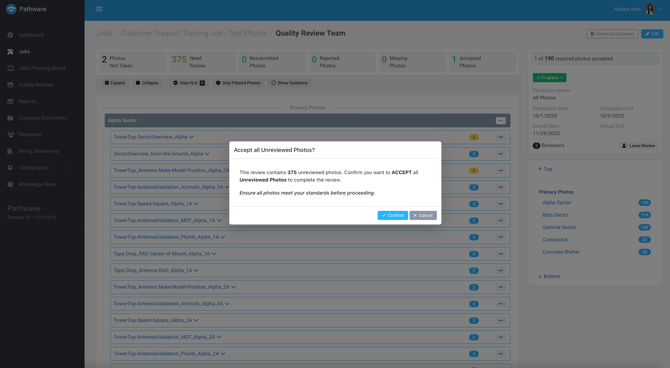
Note: If a reviewer attempts to complete the review with unresolved items, Pathwave displays a confirmation prompt:
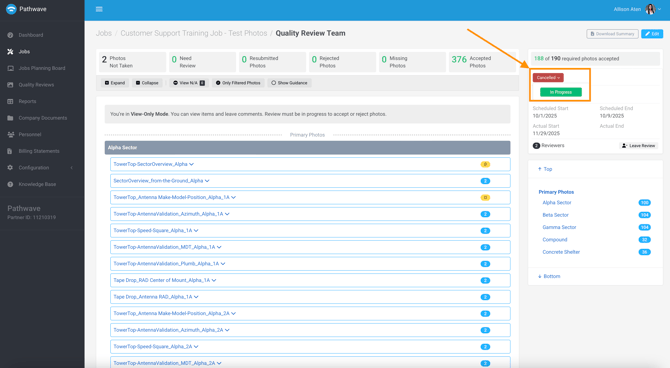
Canceled: A review may be canceled if it is no longer needed.
Key Behaviors
- Selecting Cancel marks the review as canceled immediately.
- Canceled reviews cannot be deleted—they remain part of the job’s history.
- If needed, a canceled review can be moved back to In Progress.
- Cancellation does not lock the review.
Common reasons to cancel a review
- Review was created by mistake
- Scope changed and a new review must be created
- Reviewers decide to consolidate multiple reviews into one
- A review is no longer required by the project or customer
Why Review Statuses Matter
Proper use of statuses ensures:
- Reviewers maintain control over the timing of their work
- No review begins until a reviewer is ready
- Reviews cannot be accidentally completed
- A clean audit trail is maintained across the job
- Field teams see only valid corrective cycles
- PQAs and multi-team programs maintain consistency
Statuses are the foundation of Pathwave’s structured review lifecycle.